PROJECT 05 / Full stack
Full-Stack Restaurant App
A Flask and MySQL staff app for a restaurant, with face-recognition login and a chatbot.
- Flask
- MySQL
- JavaScript
- OpenCV
- face_recognition
- OpenAI API
Source private: private repository
- Database schema on GitHub (opens in a new tab)
- Type
- Full stack
- Source
- Public on GitHub
- Role
- My own project; I am the only author.
- Built with
- Flask, MySQL, JavaScript

01 / Overview
Overview
Sign in with your face
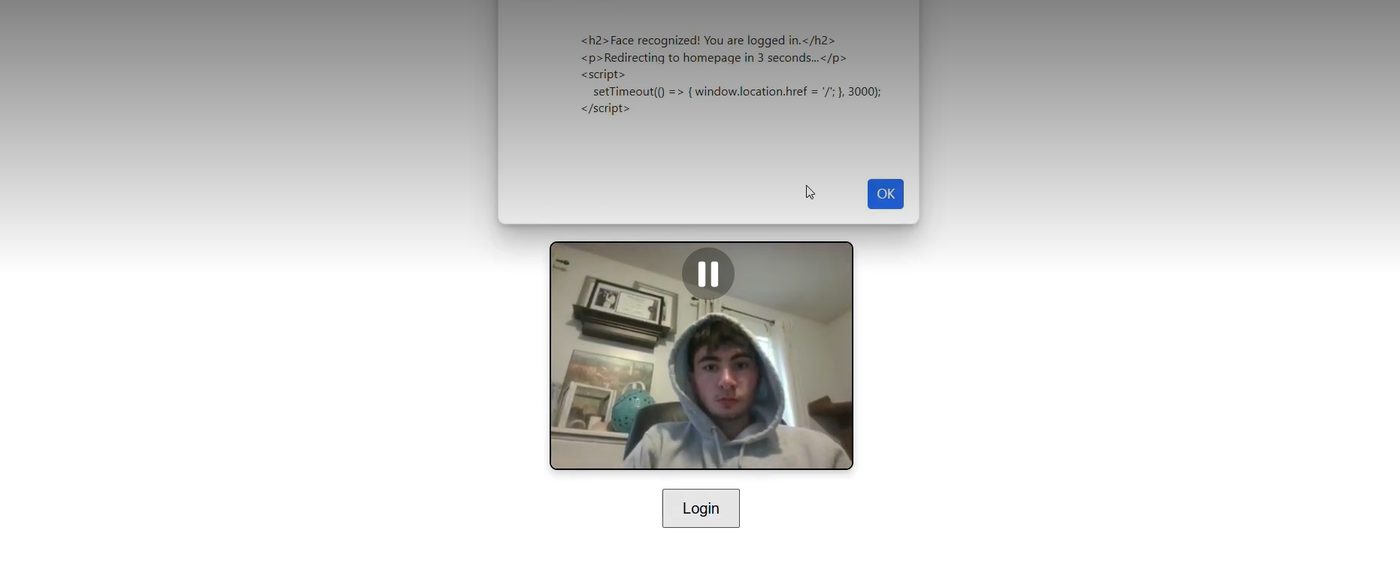
The browser webcam sends a frame and the server checks it against a stored staff face.
Manage the restaurant
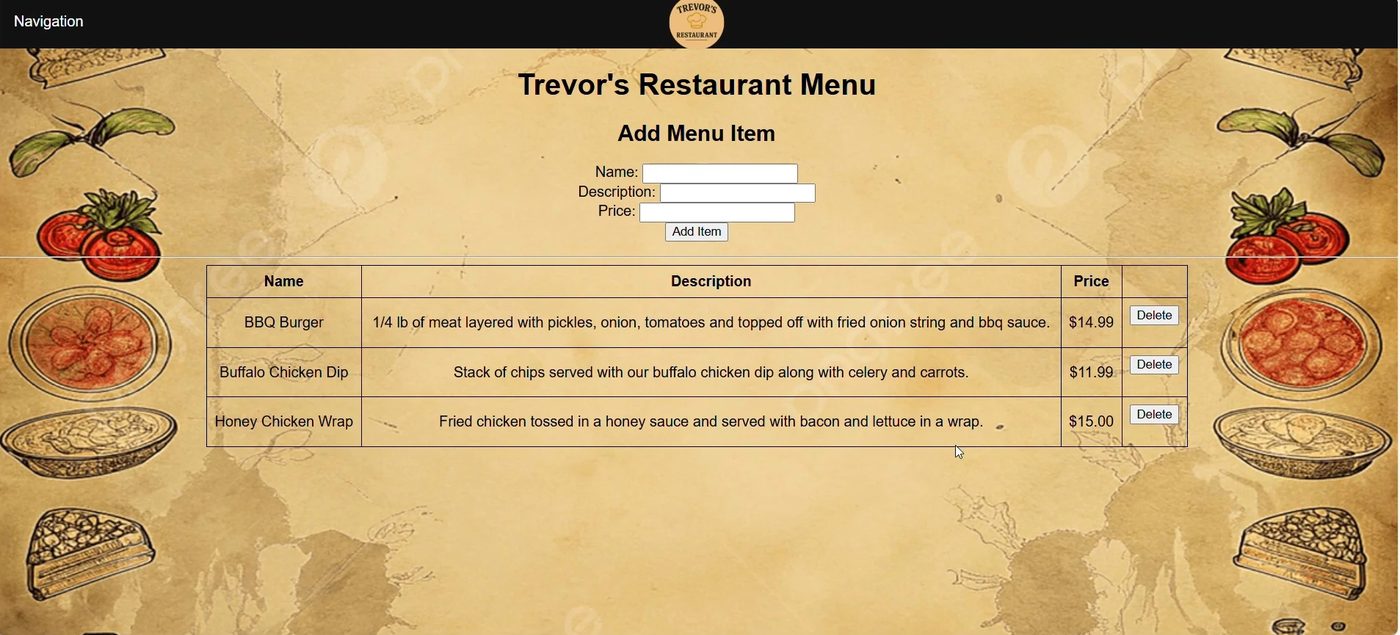
Pages for customers, menu, reservations, orders, order items and employees, each with add, update and delete.
Ask the chatbot
A separate console chatbot answers questions about the data in plain English.
02 / Context and problem
Context and problem
A database app built end to end: a nine-table MySQL schema, a Flask server, browser pages and an unusual login.
03 / My role
My role
My own project; I am the only author.
04 / How it works
How it works
Capture
JavaScript grabs a webcam frame and posts it to the server.
Match
The server encodes the face and compares it with the known staff face. No face or no match returns a message.
Session
A match marks the session as logged in; logout clears it.
Validate and save
Pages check the input, then run parameterised SQL. Errors show as flash messages.
Chatbot
The chatbot asks a model for a single SELECT query, runs it, and turns the rows into a plain-English answer.
Flask app
Routes and 17 HTML templates for the six areas of the app.
MySQL schema, 9 tables
Customer, Employee, DiningTable, Reservation, MenuItem, Category, MenuItemCategory, Order and OrderItem.
Validation rules
Letters-only names, 10-digit phones, a reservation date that is valid and not in the past, and a party size that fits the table.
Chatbot
A separate console program using the OpenAI API, with chat history.
05 / Walkthrough
Walkthrough
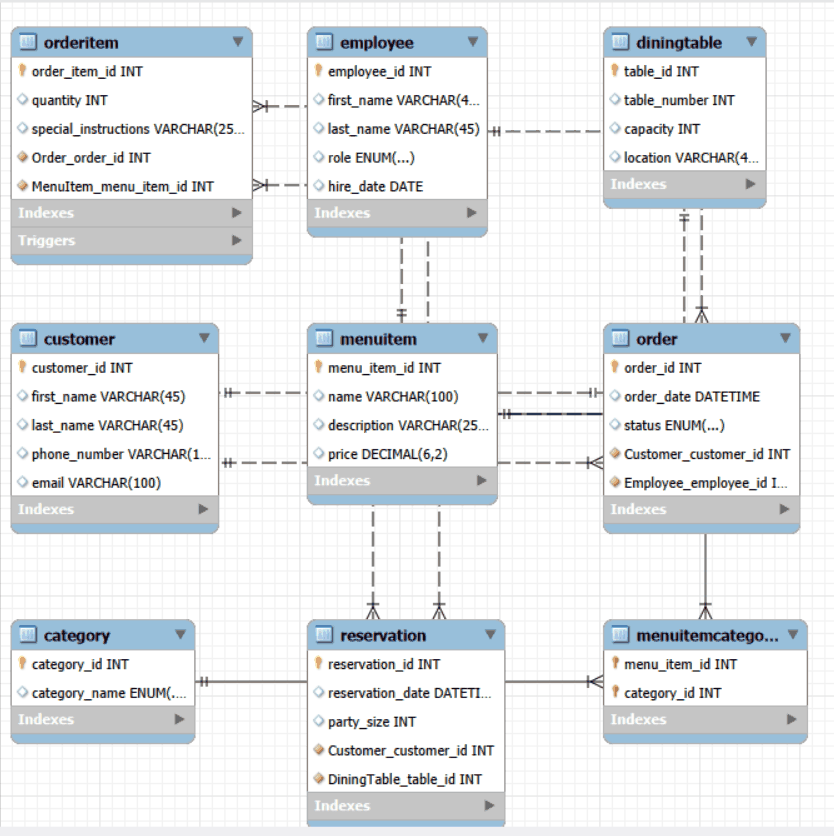
Step 01
Nine tables in third normal form
Customers, employees, dining tables, reservations, menu items, categories, orders and order items, normalized to third normal form. Primary and foreign keys enforce the relationships, and MySQL's default Repeatable Read isolation keeps reads stable inside a transaction.
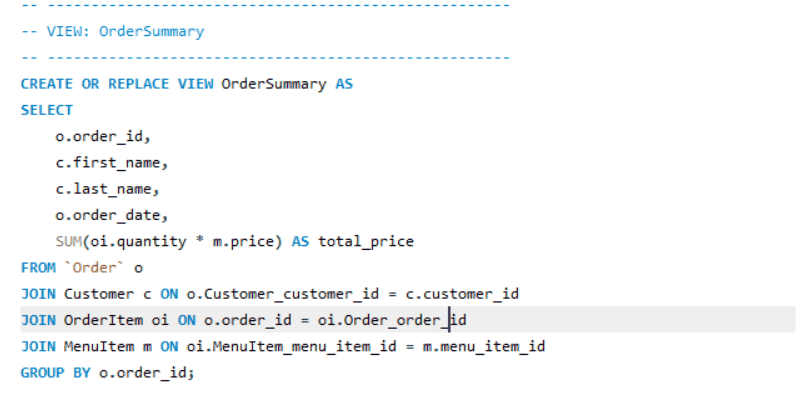
Step 02
A view for order totals
The OrderSummary view joins orders, customers, order items and menu items to give each order's total price.
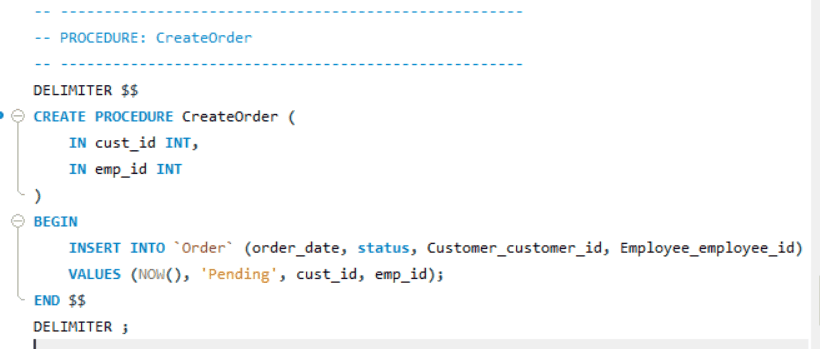
Step 03
A stored procedure to open an order
CreateOrder inserts a new pending order for a customer and the employee taking it, stamped with the current time.
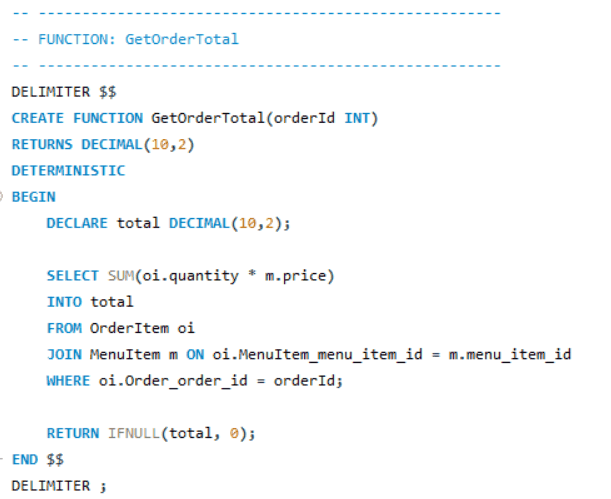
Step 04
A function for one order's total
GetOrderTotal adds up quantity times price for an order and returns 0 when the order has no items.
Step 05
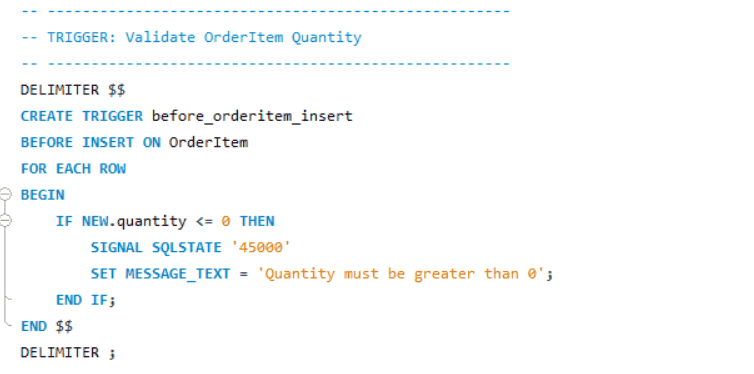
A trigger that guards quantities
A BEFORE INSERT trigger on order items rejects a quantity of zero or less with a custom SQL error.
Step 06
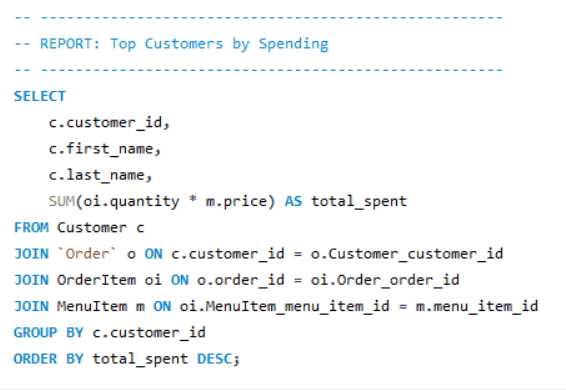
A report of top customers
An aggregate query ranks customers by total spending across their orders.
06 / Results and numbers
Results and numbers
9
tables in the MySQL schema
17
page templates
07 / Limitations
Limitations
- No automated tests.
- Face login matches one known staff face only.
- The chatbot's read-only rule is enforced by its prompt, not by database permissions.
- No duplicate-reservation check, and the chatbot is console only.
- The public repository holds the database SQL file, which lists eight tables; the nine-table version with its view, procedure, function and trigger is shown in the walkthrough above.
08 / What's next
What's next
- Reservation editing and multi-staff login.
- Duplicate-reservation prevention and more validation.
- Logging of login attempts and UI styling.
09 / Media gallery
Media gallery
10 / Next project