PROJECT / codebase map habit
Graphify Habit
Query a project's knowledge graph before opening files.
- graphify
- Claude Code
Source private: tool configuration lives in private project repos
- Type
- AI
- Source
- Private
- Role
- Used across my own projects in October 2026, with a small script I built that flags docs whose linked code changed after them.
- Built with
- graphify, Claude Code
01 / Overview
Overview
Build the graph
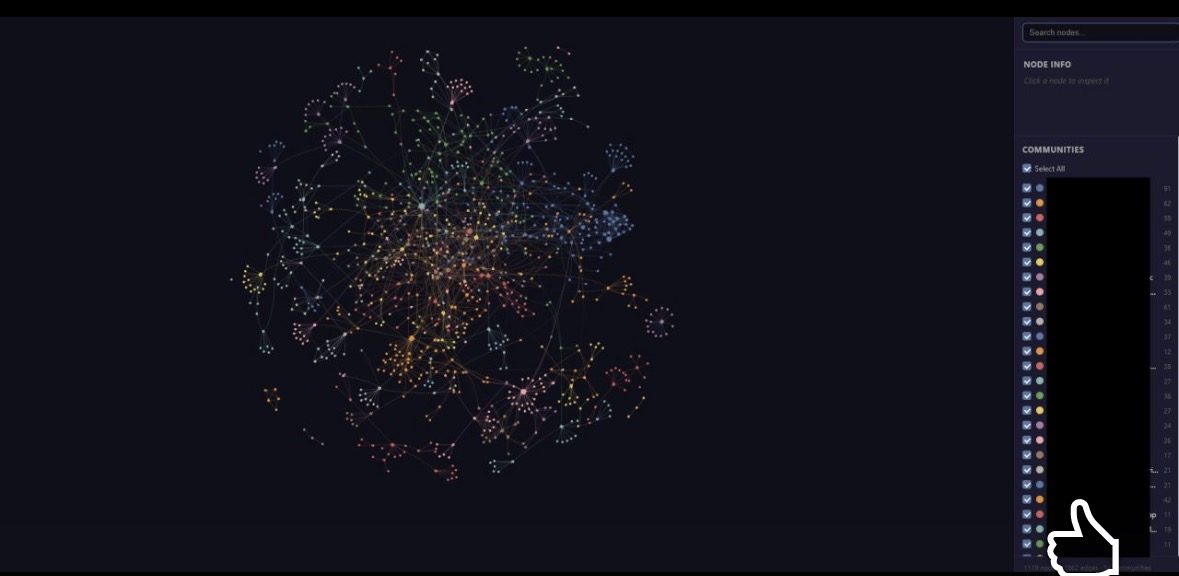
Make a graph of the project once, from code with no model calls.
Ask the graph first
A cheap query finds the names; explain chains walk the flow.
Read only what it points to
Open just the files and lines the graph names.
Confirm directly
Check anything acted on with a direct search or read, since graphs go stale.
02 / Context and problem
Context and problem
A habit written into my own global Claude Code instructions and used on my own projects. The figures come from two single-question tests between 2026-10-08 and 2026-10-15, not a benchmark.
03 / My role
My role
Used across my own projects in October 2026, with a small script I built that flags docs whose linked code changed after them.
04 / How it works
How it works
- Build a graph of the project once.
- Ask the graph first, then read only the files it points to.
- Confirm anything acted on with a direct read, since graphs can go stale.
05 / Key decisions
Key decisions
Cheapest command first
A cheap query finds names, explain follows the flow, and a direct read confirms; broad queries cost more.
A stale-doc checker
Specs drift from code, so a script flags docs whose linked code changed later (13 of 15 docs in one repo).
06 / Results and numbers
Results and numbers
~76%
fewer tokens on one example question
07 / Limitations
Limitations
- One example: about 2,000 tokens via the graph against about 8,100 for targeted searching or about 26,700 for broad searching on one question in one project, which is 76% to 93% saved.
- It varies by question: a second test saved less, 35% to 92% depending on the comparison.
- A broad query missed one path, and the graph is only as fresh as its last update.
08 / What I learned
What I learned
- Savings depend on the repo: over 90% against broad search, about 35% against a well-aimed grep.
09 / What's next
What's next
- Refresh the stale graph in a second project and decide whether stale docs need an AI re-read.
10 / Media gallery
Media gallery
11 / Next project