PROJECT / Systems
Networking Labs: Packet Tracer and Wireshark
Class labs in Cisco Packet Tracer plus a Wireshark capture that shows how a web request is built layer by layer.
- Cisco Packet Tracer
- Wireshark
- TCP/IP
- HTTP
- SMTP and POP3
- DHCP and DNS
- Type
- Systems
- Source
- Public on GitHub
- Role
- Student work: I built and configured each lab myself.
- Built with
- Cisco Packet Tracer, Wireshark, TCP/IP

01 / Overview
Overview
Build the network
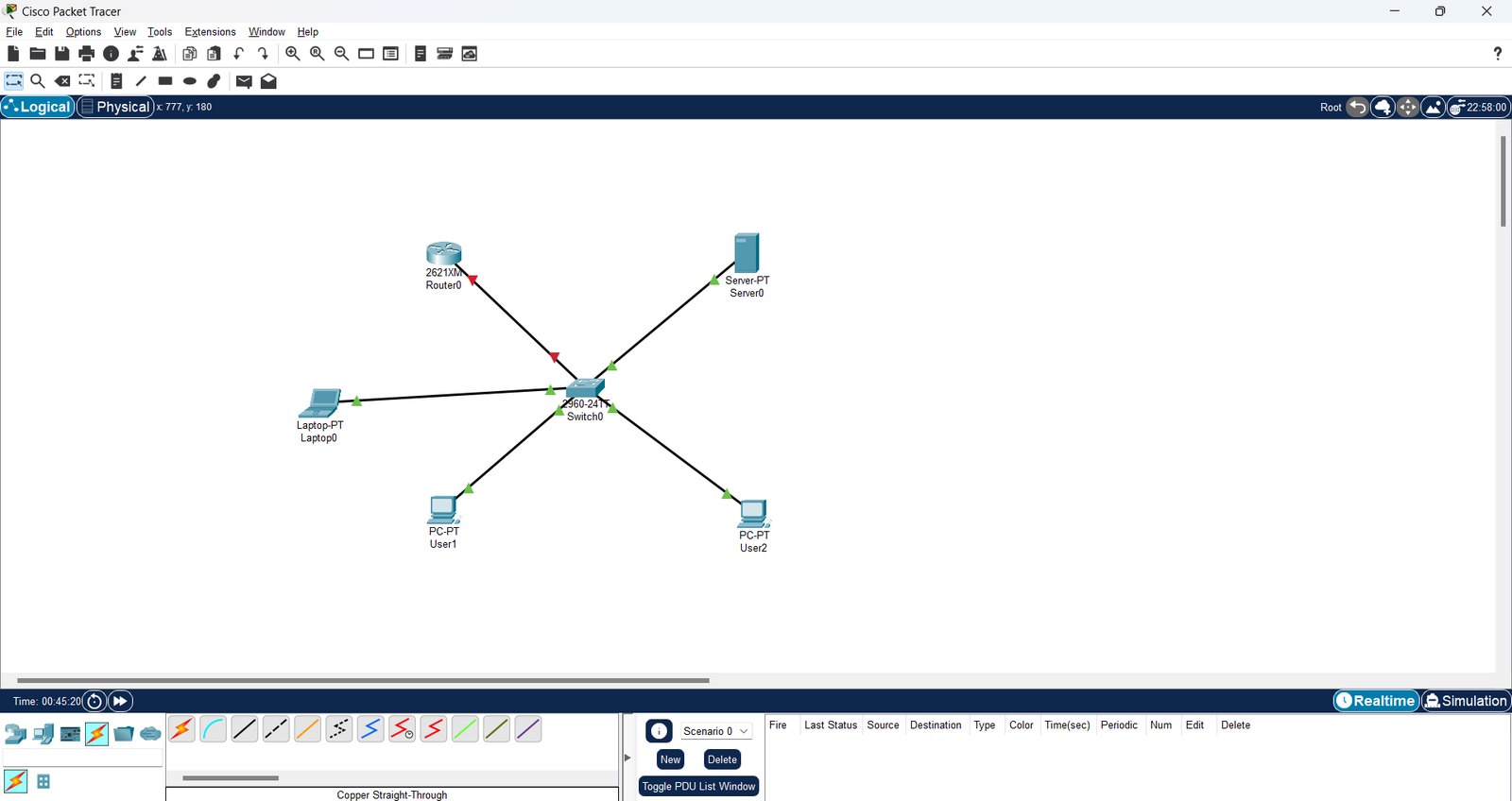
A router, a switch, a server, a laptop and PCs wired in Packet Tracer, then addressed and given a default gateway.
Run services
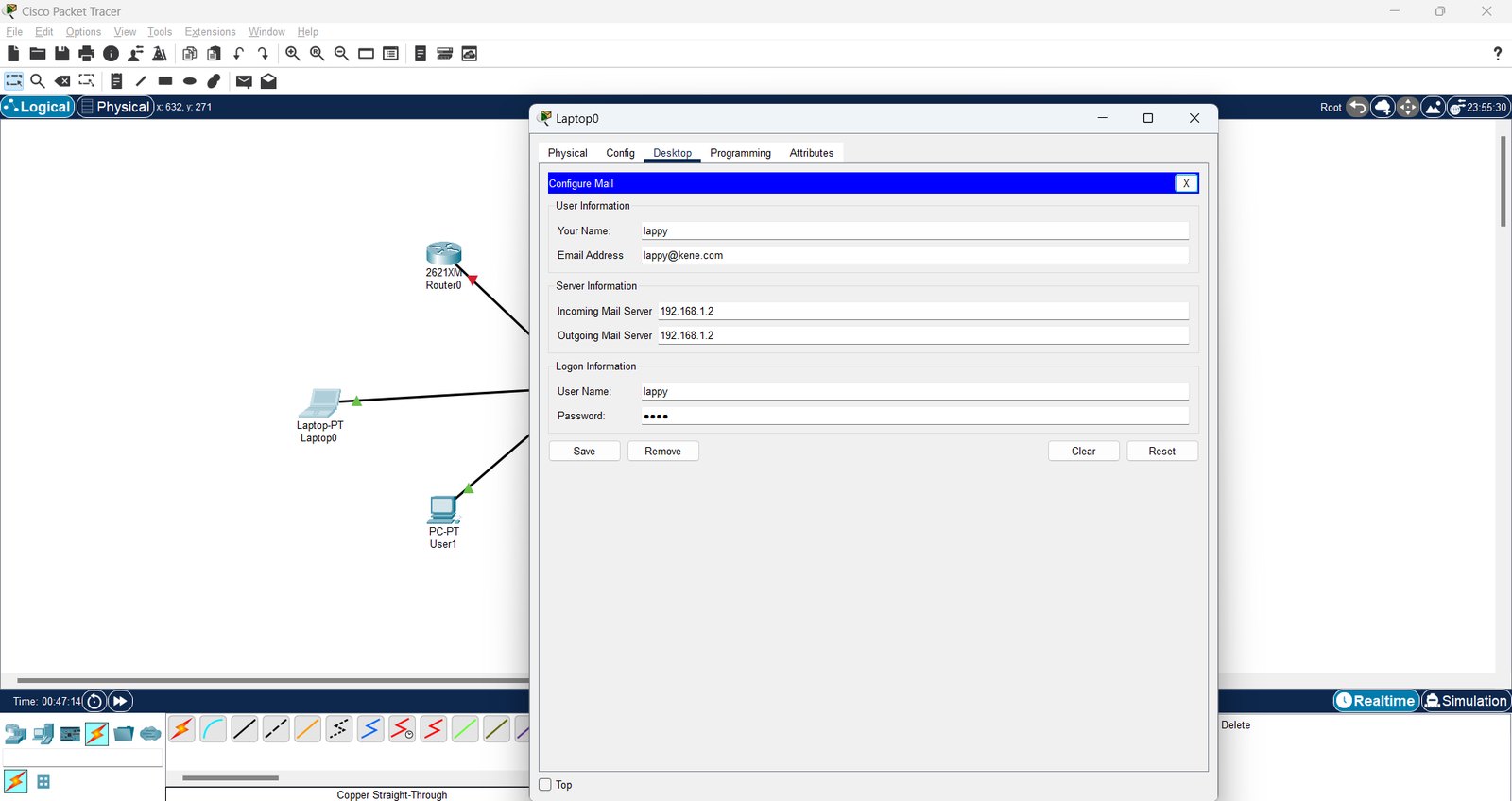
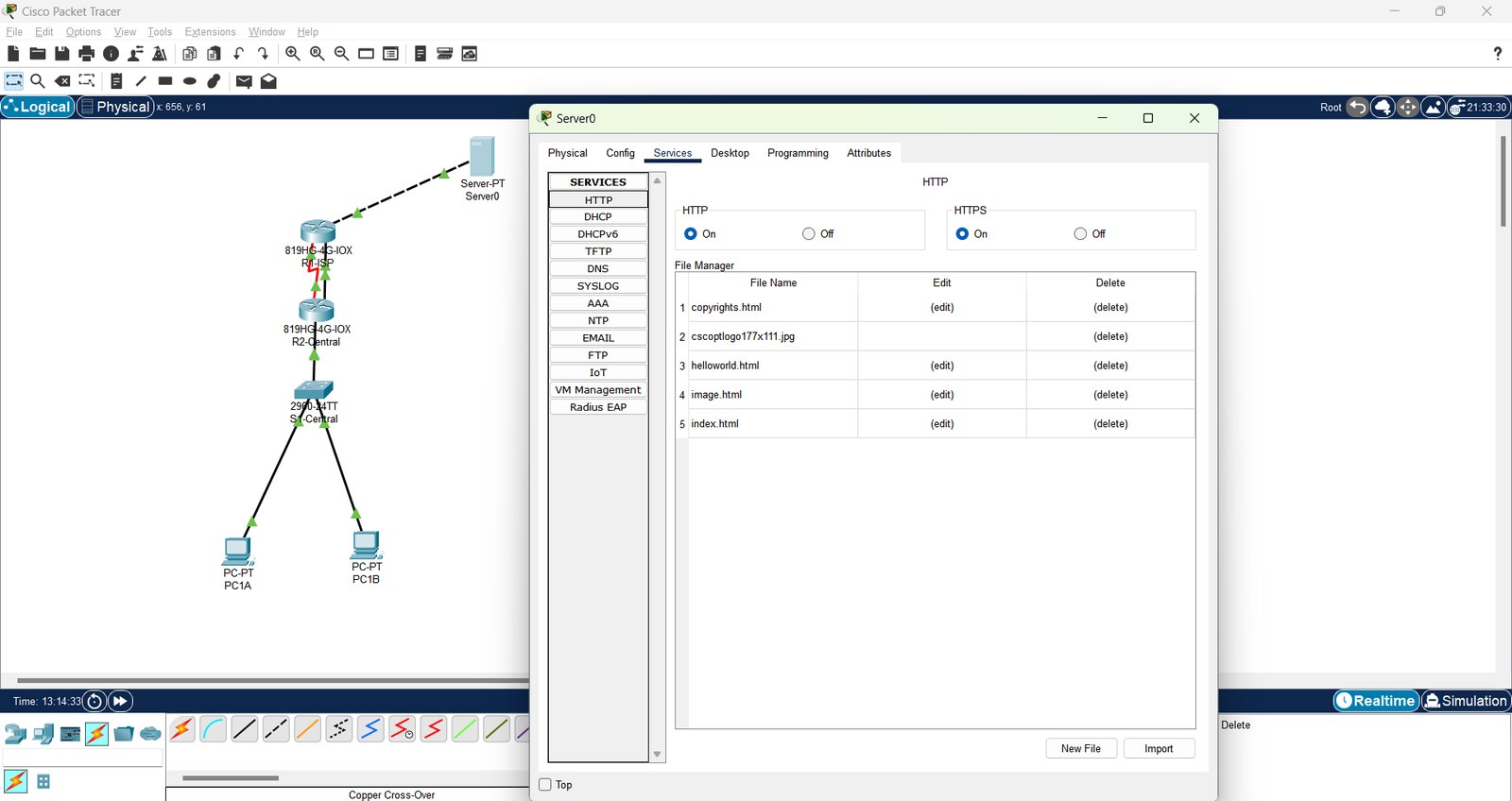
An email server with SMTP and POP3 mailboxes and clients pointed at it, and a web server with HTTP and HTTPS.
Secure and inspect
A port security activity on a switch, and a Wireshark capture used to see Ethernet, IP, TCP and HTTP in one packet.
02 / Context and problem
Context and problem
Labs for networking coursework at Wentworth, done in Cisco Packet Tracer, plus packet capture practice with Wireshark.
03 / My role
My role
Student work: I built and configured each lab myself.
04 / How it works
How it works
Topology
Devices and links first: a star network around one switch, and a two-router version with an ISP router and a central router.
Addressing
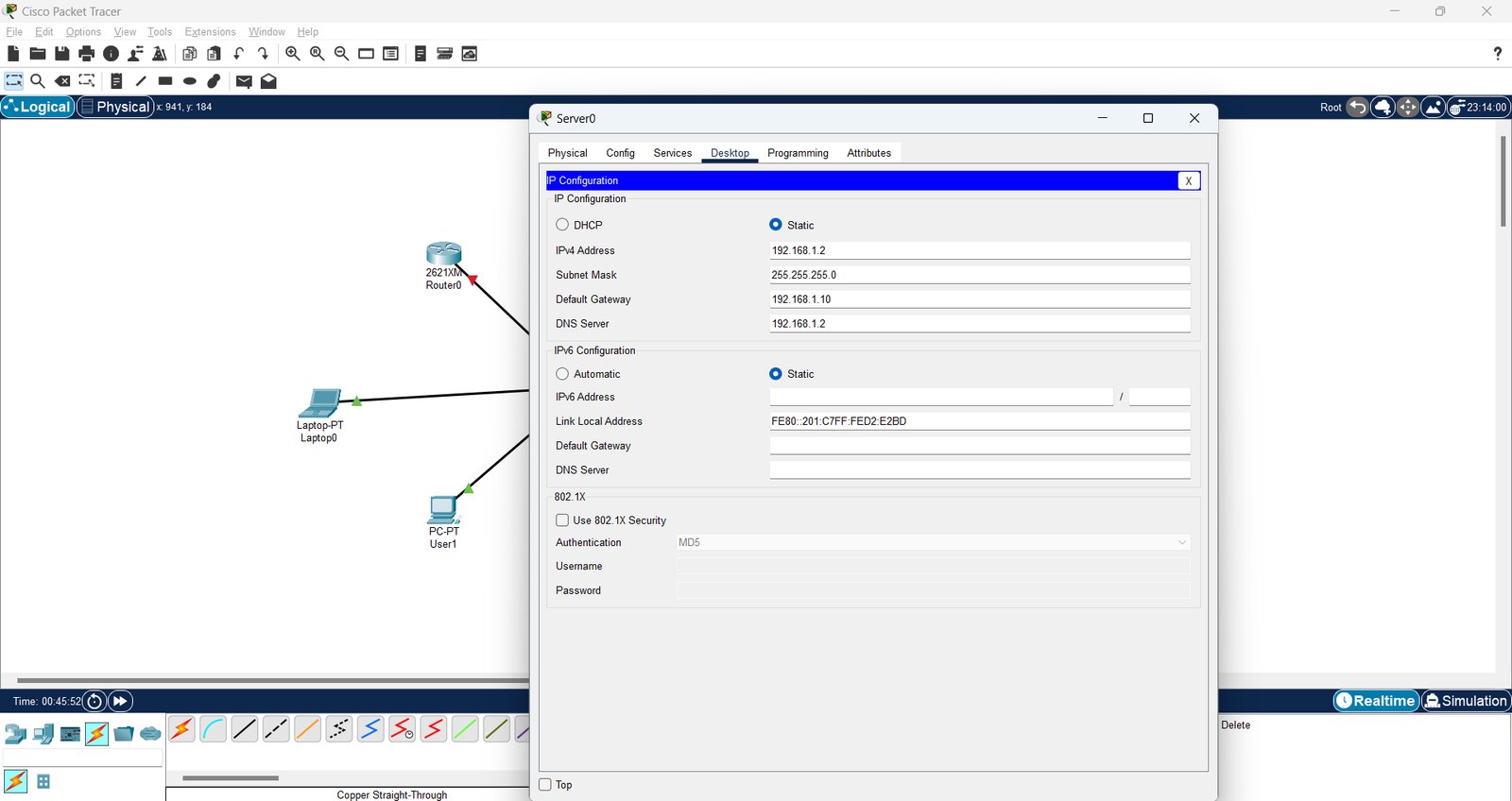
The server gets a static IPv4 address, subnet mask, default gateway and DNS server; the clients use DHCP or static settings.
Services
Email is configured on the server for a lab domain with a mailbox per user, and each client's mail settings point at the server.
Port security
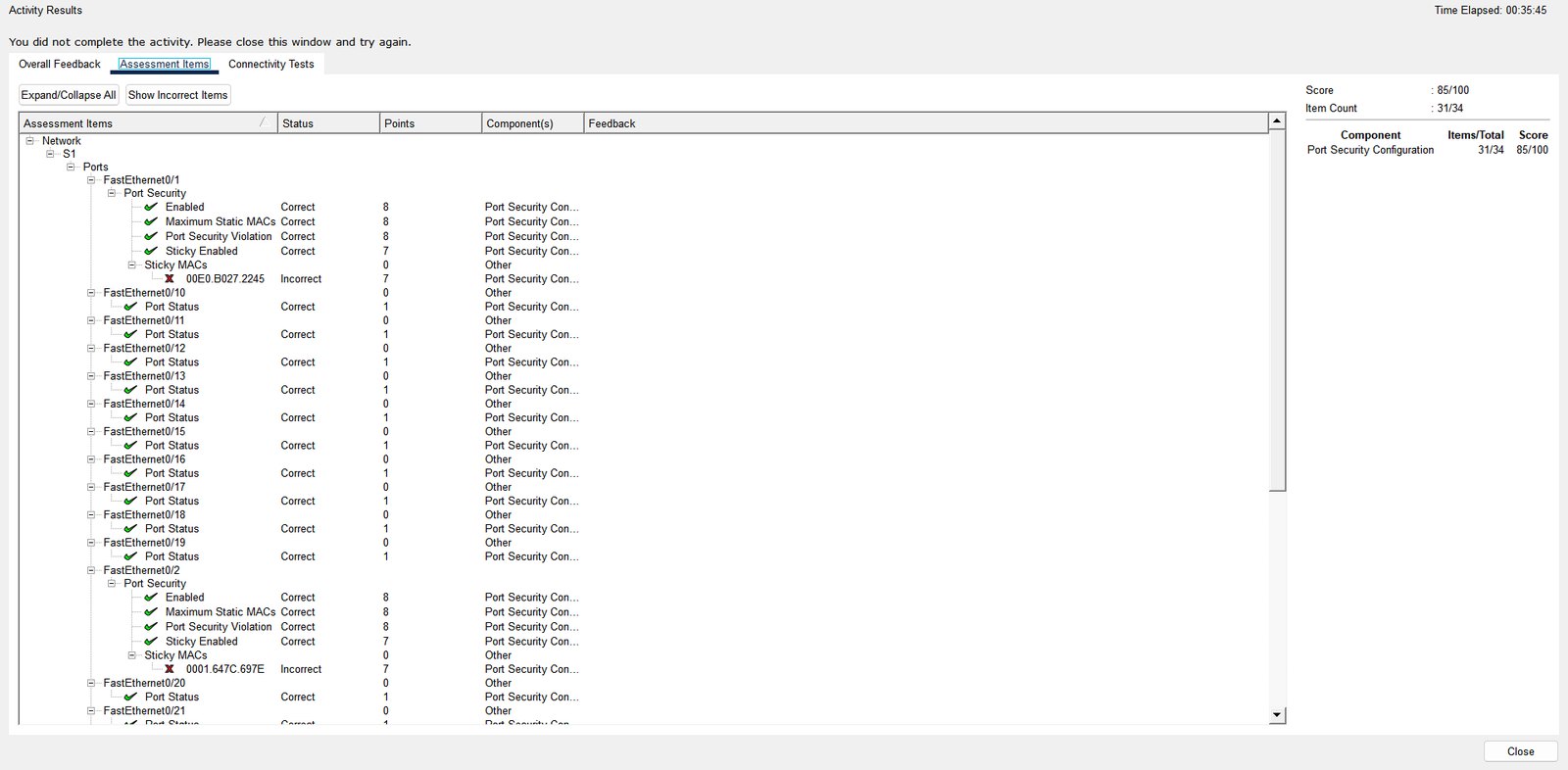
Switch ports are limited to a set number of MAC addresses with sticky learning and a violation action.
Packet capture
Wireshark on Wi-Fi, filtered to HTTP, shows GET requests and 206 Partial Content replies, with the protocol layers expanded.
05 / Results and numbers
Results and numbers
Hands-on practice building small networks, running email and web servers on them, configuring port security, and reading real traffic.
- Built and addressed small networks and ran email and web servers on them.
- Used Wireshark to see the protocol layers in a real request.
06 / Testing and quality
Testing and quality
- Each lab was checked by sending traffic between devices and, for the port security activity, with Packet Tracer's own scoring.
07 / Limitations
Limitations
- These are class labs on a simulator, not a production network.
- The port security activity shown scored 85/100 on that attempt: 31 of 34 items were correct, and the sticky MAC entries on two ports were marked incorrect.
- The Wireshark capture is one short capture, used to study the layers rather than to diagnose a problem.
08 / Media gallery
Media gallery


09 / Next project